SyncHLine — Indicator for Synchronizing Levels
The SyncHLine indicator is designed for the MetaTrader 4 trading platform and is used to synchronize horizontal levels between multiple charts. More precisely, it copies a horizontal line from one chart to all other charts where the indicator is installed, for the same trading instrument within the same MT4 trading platform.SyncHLine will be especially useful for traders who use support and resistance levels in their trading and draw them manually on their charts. Instead of having to manually duplicate levels from one chart to another, usually from a higher timeframe to a lower one, the indicator does it automatically. Let’s take a closer look at how it works.


How SyncHLine Works
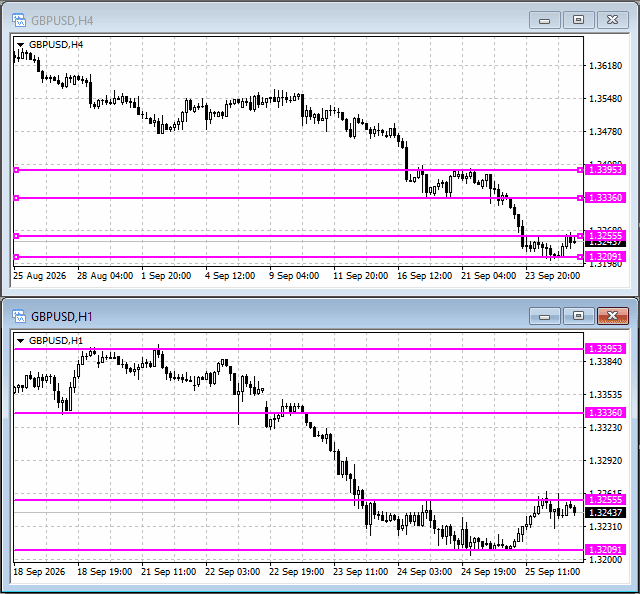
SyncHLine copies and synchronizes standard horizontal lines in MetaTrader 4 between multiple charts where the indicator is installed. A newly created or moved line automatically appears on the other connected charts at the same price level.The indicator also synchronizes line deletions and preserves their main properties — color, style, and width. Changes are tracked using chart events and periodic checks performed by a timer.
Parameters and Settings
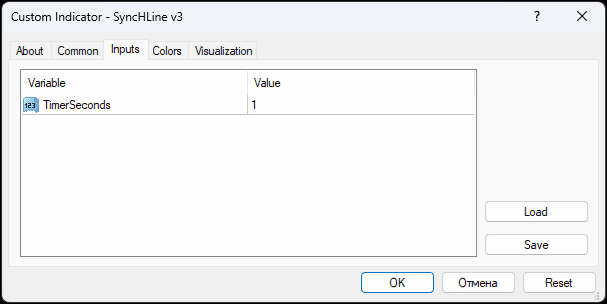
The indicator has only one parameter — TimerSeconds. It sets the interval for periodic checks for changes on the charts; the default value is 1 second. If necessary, the interval can be changed, but for normal operation, it is recommended to leave the default value.
How to Use the Indicator
Using SyncHLine is quite easy:- The indicator must be installed on all MT4 charts between which horizontal lines need to be synchronized. Once installed, these charts are automatically combined into a single synchronization group.
- When a standard line is added to one of the charts, it will also appear on all the other charts.
- No changes to the indicator settings are required. There is only one parameter — TimerSeconds, and it is already configured for optimal operation.
- When a line is moved, its position will also change on the other charts.
- When a line is deleted, it will also be deleted from the other charts.
The indicator has the following features:
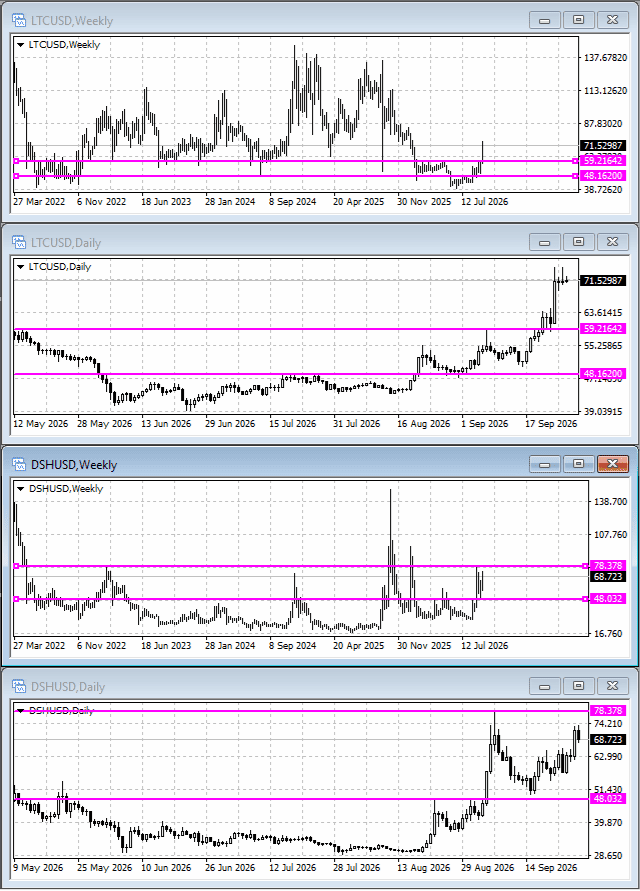
- The indicator can be used simultaneously on multiple charts of different trading instruments. Synchronization is performed separately for each instrument, so lines from different trading symbols are not mixed.
- The indicator has no master line. This means that after synchronization, a line can be managed from any connected chart: it can be created, moved, or deleted, and the change will be applied to the other charts of the same instrument.
Conclusion
As you can see, the indicator is very easy and convenient to use. It puts virtually no load on the terminal, so it can be used even on older and less powerful computers.The SyncHLine indicator was developed by us and is the property of our website. We offer it to our readers for free use.
Related Posts:
- 👉 How to Install an Indicator in MT4, MT5
- ⚡ ClusterDelta – Real-Time Exchange Data for MetaTrader
- 📶 Volume Indicator
- 💱 Market Profile Indicator
- 📊 Delta and Cumulative Delta Indicator
- 💹 Footprint Indicator
Comments


T333xc 2026-09-27 15:08:02 #
I had been looking for an indicator like this for a long time. I don't know how to write indicators myself, and I had never come across anything similar online that was implemented properly.



 Reviews:
 Reviews:
 Reviews:
 Reviews: